
Office space analytics and desk booking for corporate offices
Spaceti connects occupancy sensors, building systems, and bookings in one AI-powered platform, so you can see how your offices are really used, right-size space, and give employees one app.
Top Enterprise Clients
Workplaces
Sq. ft. on our platform
Trusted by leading companies worldwide




Why companies use Spaceti
Office attendance changes by team and by day, whether you run hybrid or return-to-office policies. Spaceti shows what really happens in your offices, so you plan space around real demand.
Understand how your office is really used
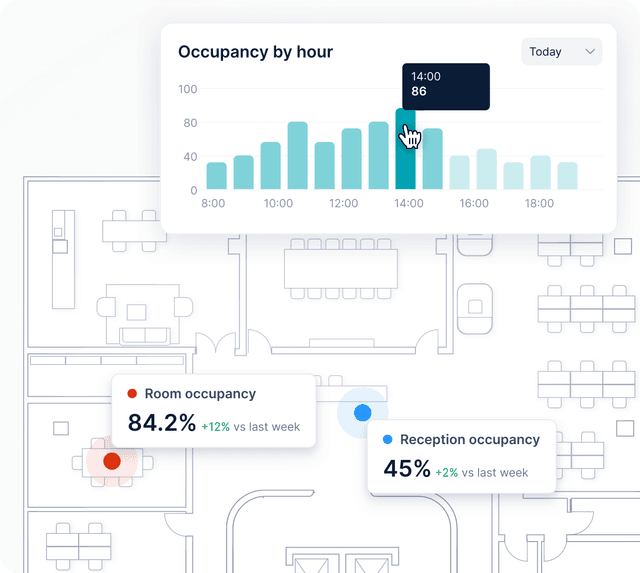
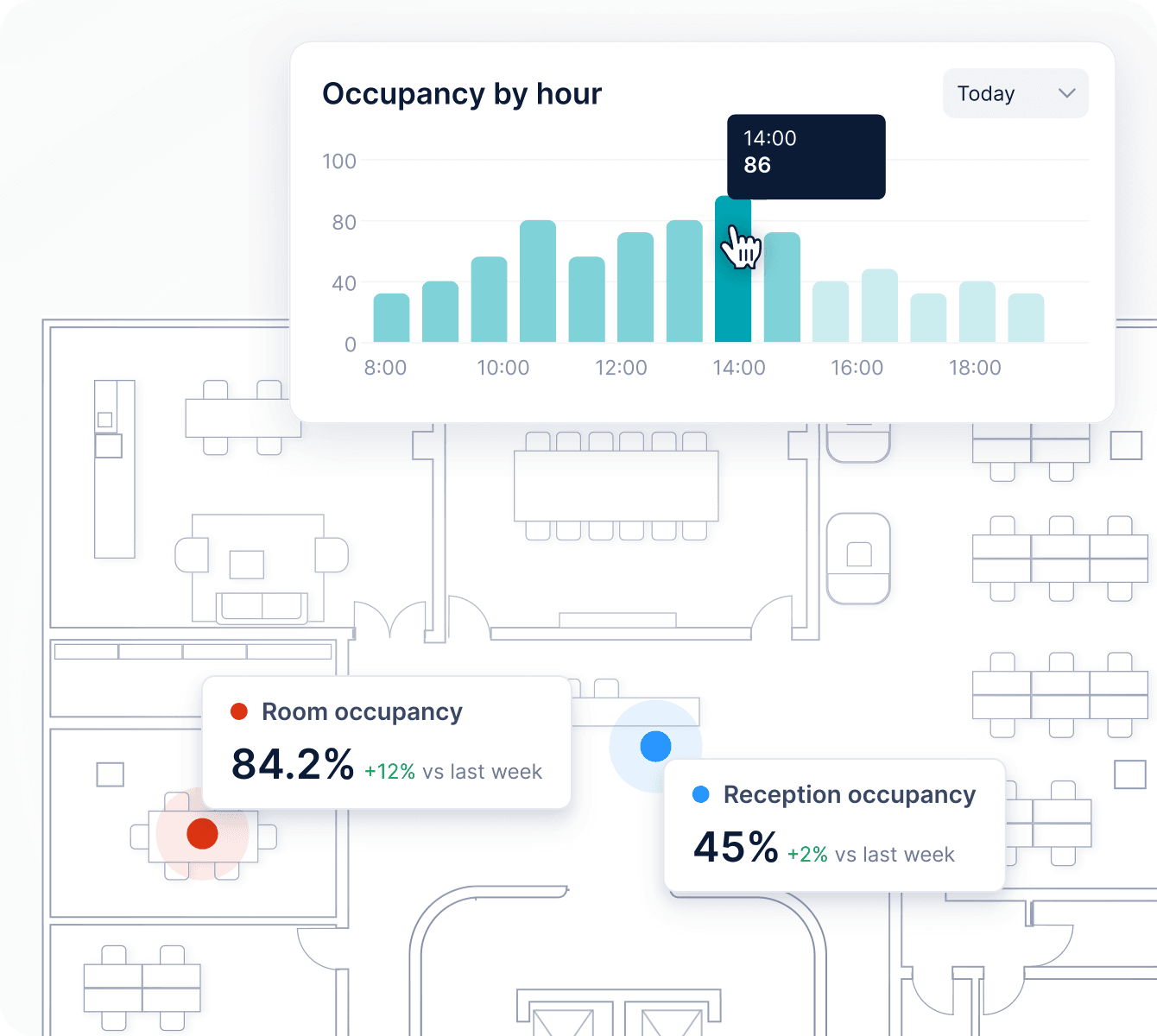
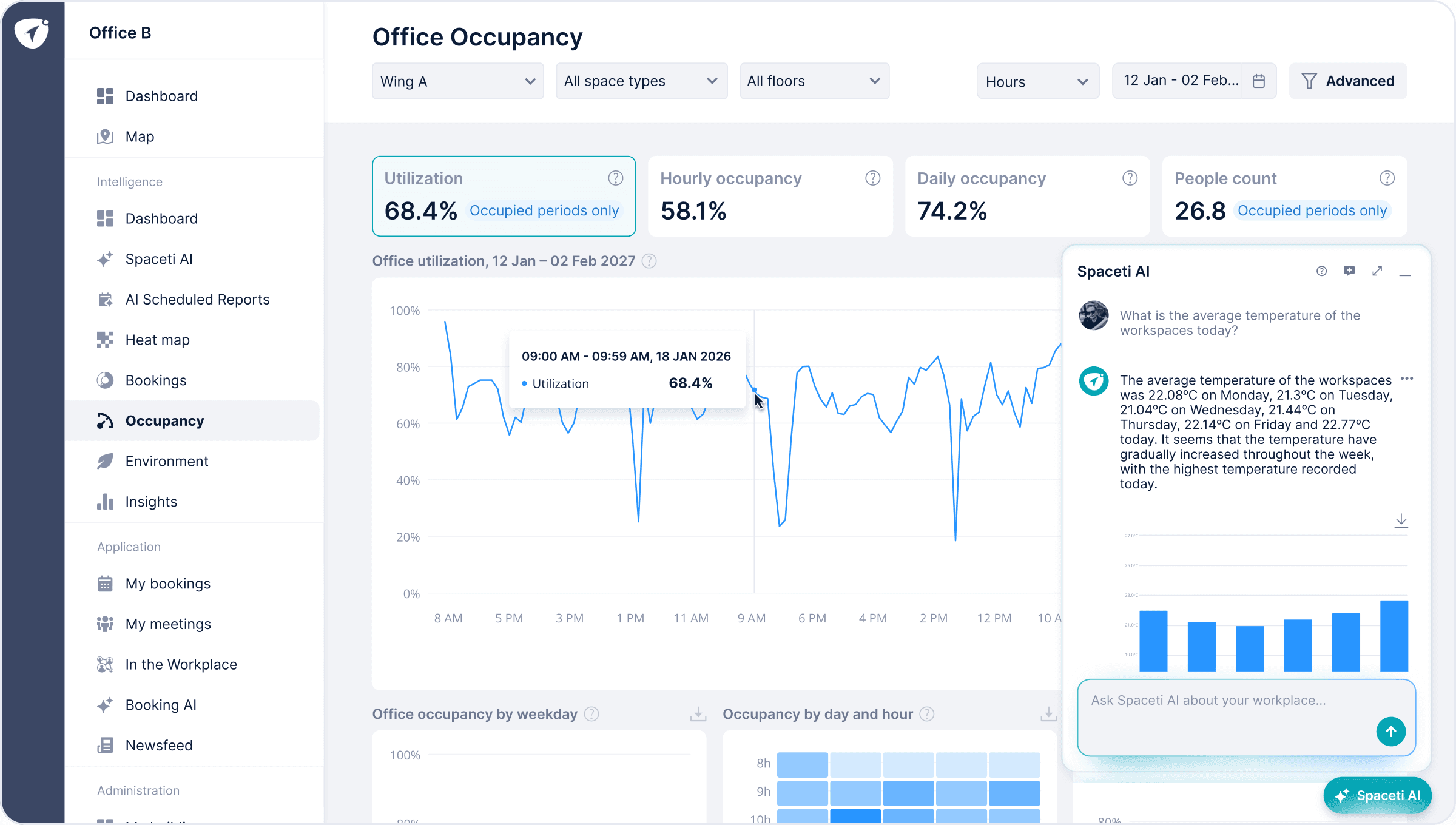
On Tuesday the third floor is full; on Friday it is almost empty. Occupancy sensors show how every floor, zone, and desk is used by hour and day, and a typical-day heat map shows recurring peaks, so you size the office for real peaks, not headcount.
Cut real estate costs with real utilization data
Plan the right number of desks for real attendance
Close the gap between your attendance policy and reality
Make the office worth the commute
Keep the office comfortable and cut energy costs
How Notino designed its new HQ with Spaceti
Notino first measured occupancy in its existing offices with Spaceti. That data shaped the layout of its new 137,500 ft² (12,776 m²) headquarters in Brno, where Spaceti now runs desk and room booking, analytics, and smart lockers.
Spaceti for every team in the office
Workplace, real estate, finance, HR, and sustainability teams, and every employee, work from the same office data.
Sustainability & ESG
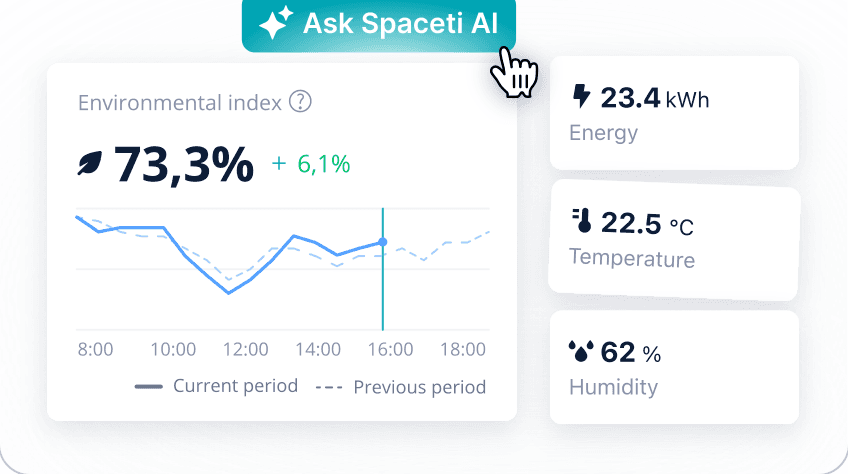
Find floors heated or cooled while empty, get alerts when CO₂ or temperature crosses a limit, and combine occupancy with energy data for WELL, LEED, and sustainability reporting.
Across every office space and site
Desks & Focus spaces
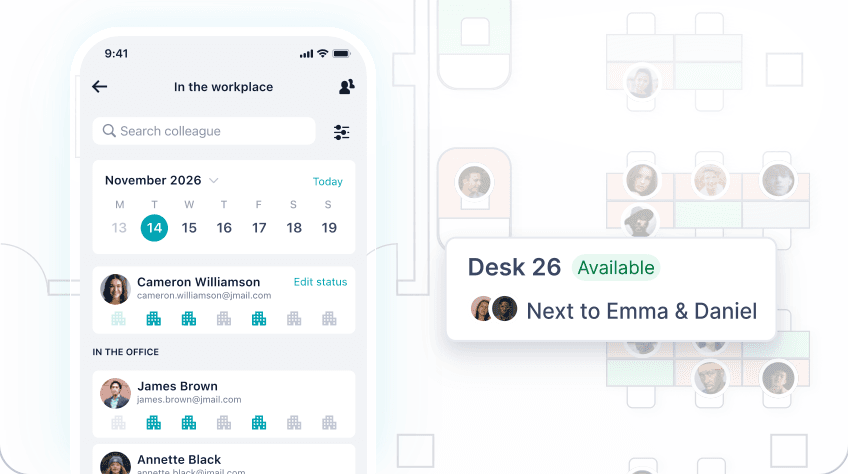
Book desks, quiet zones, and phone booths on the office map, find where a colleague sits, and set which teams can book each floor or zone.
Meeting rooms
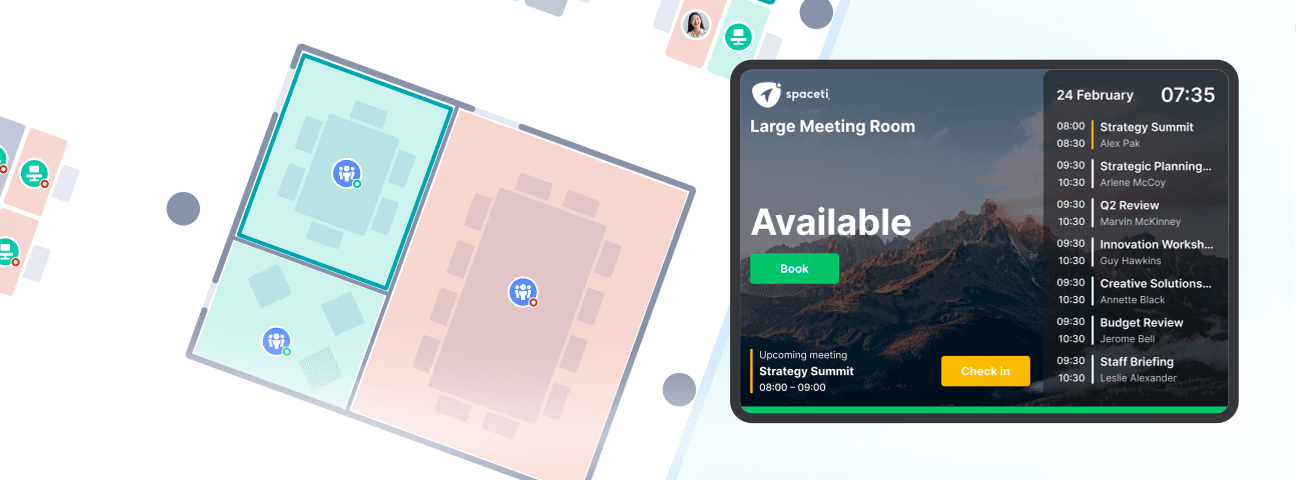
Book rooms by size and equipment in the app, in a chat, or on the tablet at the door. Bookings nobody checks in to are released automatically.
Parking & Lockers
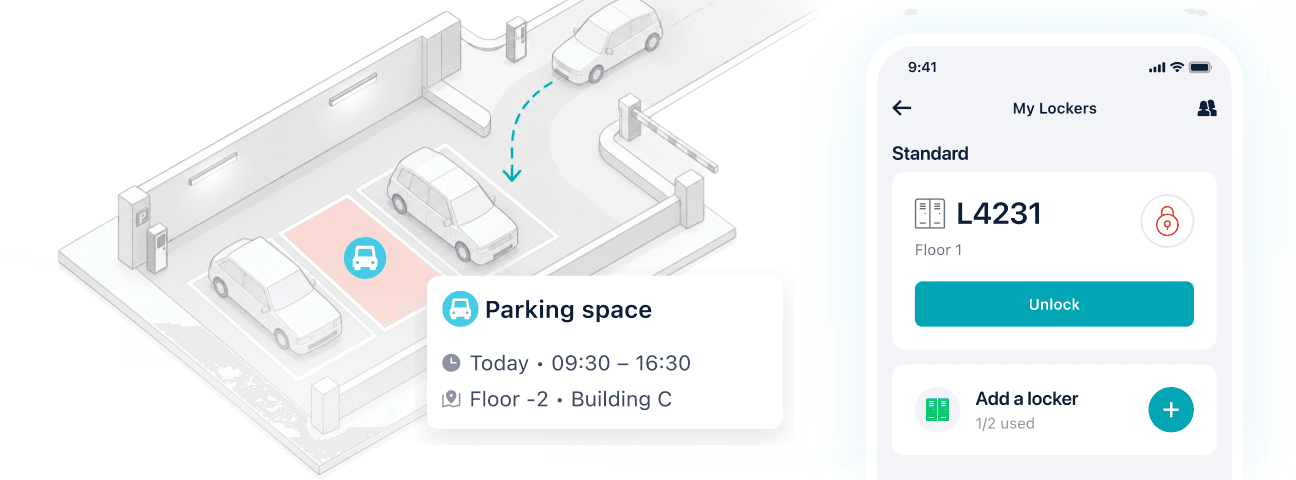
Book parking for your office day and see free spaces in real time. Open and share smart lockers from the app.
Reception & Visitors
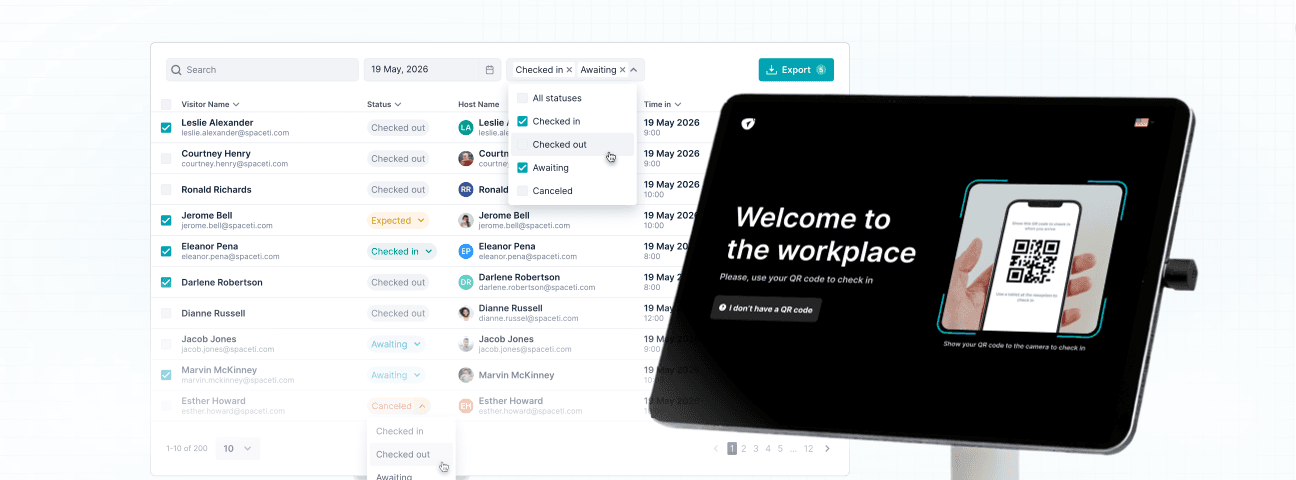
Invite guests with a QR code, have them sign an NDA at check-in, and print badges on arrival. Hosts are notified when guests arrive.
Spaceti MCP for offices
Spaceti MCP connects office occupancy, booking, and sensor data to ChatGPT, Claude, Gemini, Microsoft Copilot, and other MCP-compatible assistants. Combine it with lease and cost data from your finance and real estate systems to see what each office really costs and where to consolidate.
Explore Spaceti MCPAsk your AI assistant:
 Which offices have the highest cost per occupied desk?
- Which offices could we consolidate before their leases end?
- How many desks does each team need on peak days?
How Spaceti works in offices

Connect
Map every data source in your offices, from sensors, Wi-Fi, and cameras to building systems, badge data, and booking calendars, and connect them to Spaceti.

Analyze
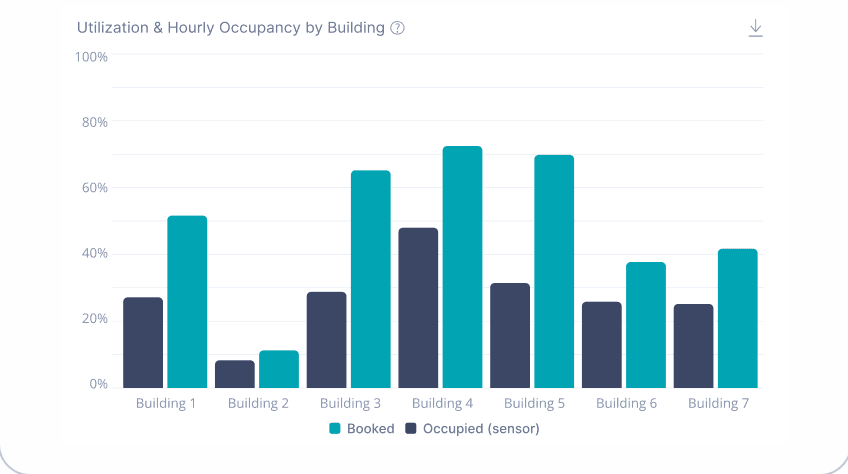
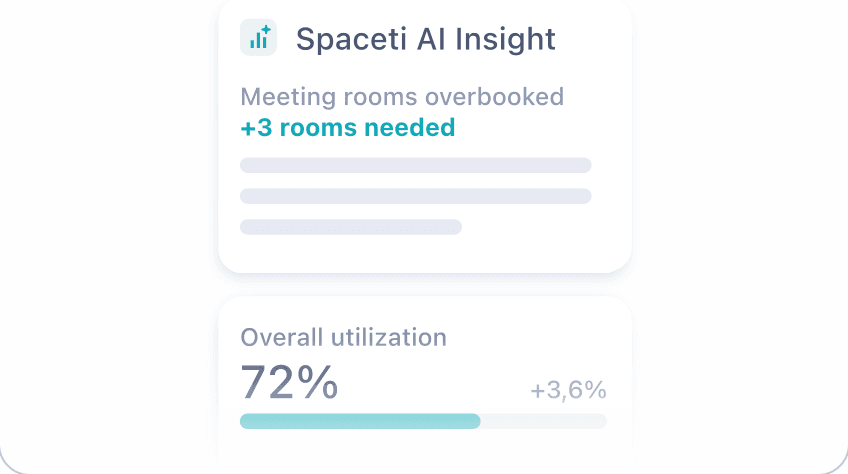
See utilization, attendance, and no-shows by team, floor, and building, compare booked versus used space, and ask Spaceti AI.

Act
Set desk ratios, release unused rooms, adjust booking policies, plan moves in stack view, and consolidate ahead of lease renewals.
Security and integrations for offices
Compliance and security.
Spaceti prioritizes data security and privacy, backed by ISO 27001 certification, SOC 2 Type II attestation, and GDPR-compliant data protection practices.

Integrated with your existing systems.
Connect compatible BMS, HVAC, lighting, access control such as SALTO and HID, and parking systems. Sync bookings with Outlook and Google Calendar, bring your floor plans and desks into Microsoft Places, and let employees sign in with Microsoft 365.
See how companies use Spaceti




Warner Music – “The Music Station”
How Warner Music created a global-first hybrid work hub that fosters collaboration among artists and employees.
Case Study














See Spaceti in your office
Schedule a free demo tailored to your offices.
FAQ
Spaceti is an AI-powered office occupancy analytics and desk and room booking platform for corporate offices. It brings sensor, building system, and booking data together in one place, shows how desks, meeting rooms, and floors are really used, lets employees book desks, rooms, and parking in one app, and helps workplace and real estate teams plan space, hybrid and return-to-office policies, and lease decisions with real data.
Spaceti brings all your office data together on one floor plan: occupancy from sensors, Wi-Fi, or cameras; CO₂, temperature, and humidity; BMS, HVAC, lighting, and energy data; desk, room, and parking bookings from the app, tablets, Outlook, and Google Calendar; and badge data, visitor check-ins, lockers, and issues reported from the app. So you can compare booked versus used space, booked versus real attendance, and occupancy versus energy use.
Occupancy sensors show desk and room presence in real time, and environmental sensors track CO₂, temperature, and humidity. Spaceti can also estimate occupancy from Wi-Fi access points or your existing camera systems and combines this data with bookings.
Spaceti shows attendance, utilization, and no-shows by floor and day, including ghost bookings when desks are used without a reservation. Teams use this data to set booking policies and decide how many desks or workpoints each team needs, and managers can assign fixed desks to many people at once. For example, if a team of 40 never has more than 26 people in on its busiest day, you can plan its space for that peak instead of for headcount.
Yes. Spaceti combines badge data from your access control system with bookings and occupancy sensors, so you can compare booked and real attendance by team, department, office, and day, and see where attendance meets your policy and where it falls short. Access to this data is role-based.
With check-in turned on, people confirm their booking in the app or by scanning a QR code at the room. If nobody checks in before the check-in window closes, the room becomes available to others. Occupancy sensors can also release rooms automatically when nobody is there.
Spaceti compares utilization by floor, building, and portfolio, so you can see which spaces stay underused and decide what to keep, consolidate, or redesign before a lease renewal. L'Oréal improved space efficiency by 15% with Spaceti. Use the Savings Calculator to estimate savings for your offices.
Yes. Booking policies and rules apply across teams, floors, and locations, with role-based access for each team, and analytics show one building, several, or the whole portfolio. NVIDIA uses Spaceti across 9 buildings and 500+ rooms at its Santa Clara headquarters.
Outlook and Google Calendar for bookings; the Spaceti app in Microsoft Teams for booking desks, rooms, and parking; Microsoft Places, which shows your Spaceti floor plans, desks, and rooms; Microsoft 365 for sign-on; Zoom for meetings; SALTO and HID for access control; and Green Center for parking and access. An open API connects other systems.
Yes. Spaceti analyzes anonymized occupancy data, whichever source it comes from: Spaceti sensors, your Wi-Fi access points, or camera systems, either the ones you already have or new ones Spaceti connects for you. Access is role-based, so each team sees only the data it needs. Spaceti is ISO 27001 certified, has a SOC 2 Type II attestation, and is GDPR compliant. Visit the Trust Center →
Yes. Start with one floor or one office, review the data, and roll the same setup out to other floors and locations when you are ready.
Yes. Space planning in Spaceti includes a stack view that shows which departments and teams sit on each floor. Use it with utilization data to allocate space by department, plan moves, and decide which floors to consolidate.
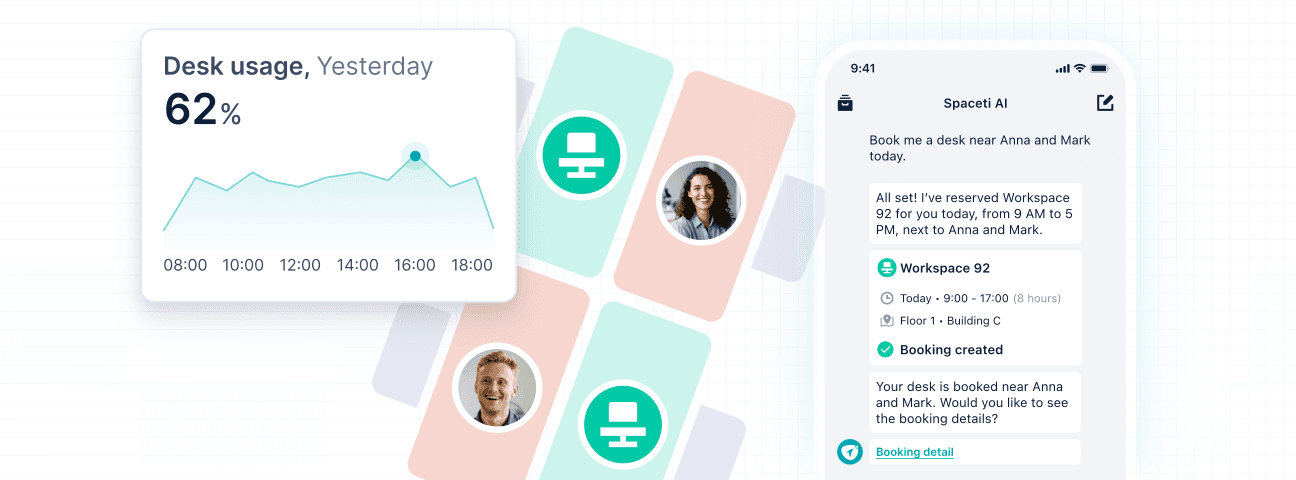
In three ways. Spaceti AI answers questions about occupancy, space, and indoor conditions and sends scheduled reports. Spaceti MCP connects office data to ChatGPT, Claude, Gemini, Microsoft Copilot, and other MCP-compatible assistants to combine it with HR, finance, and real estate data. The Spaceti AI Booking Assistant books desks, rooms, and parking in a chat in the Spaceti app. Each person sees only the data their account can access. Explore Spaceti AI → · Explore the Booking Assistant →